Fortnite APK: Download Fortnite for Android and Get Started
Looking for Fortnite APK for Android? Fortnite is officially available on Android through Google Play and the Epic Games Store. Epic also supports cloud gaming on Android through supported services and regions.
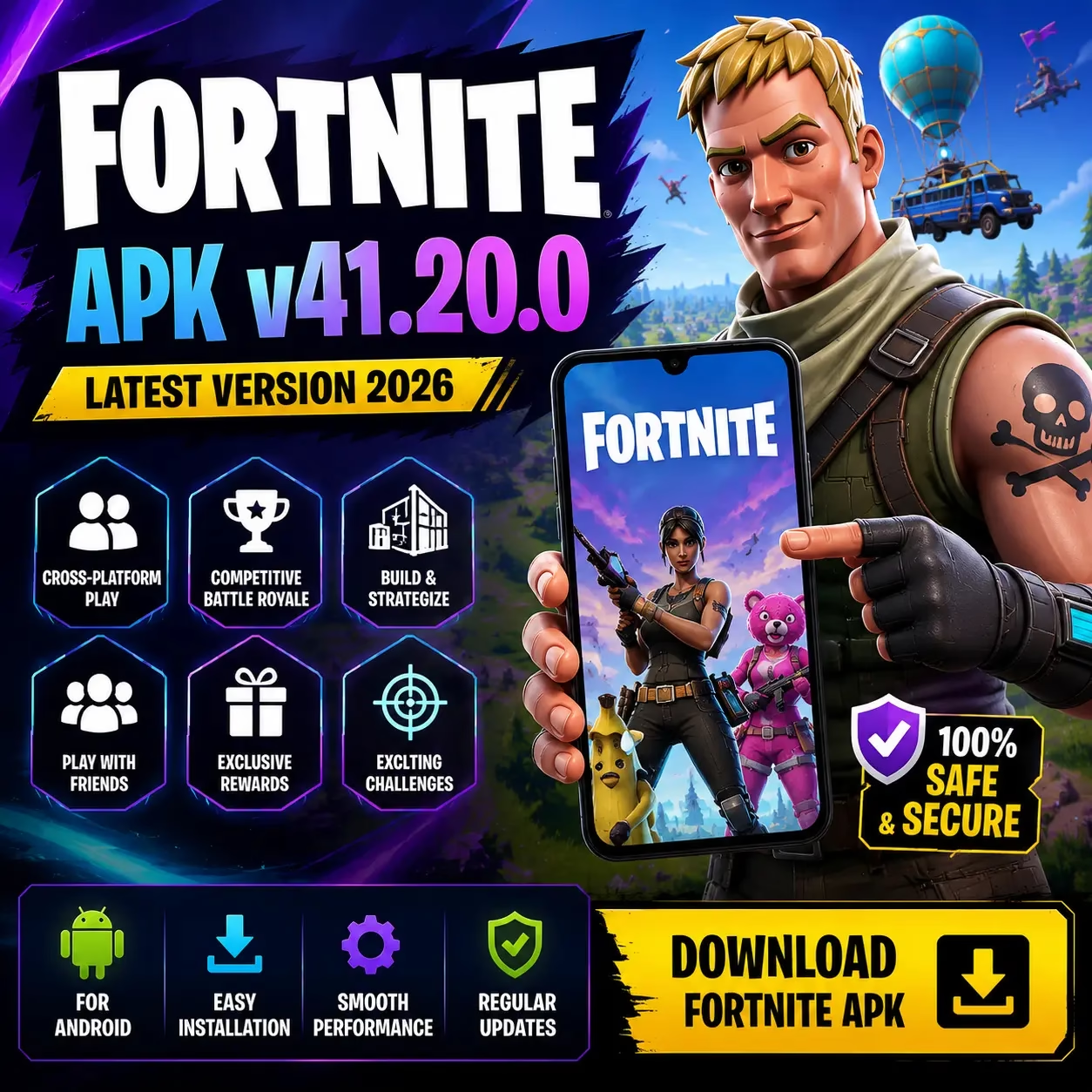
Fortnite APK v41.30.0
Fortnite APK Download for Android
Everything you need to know before downloading, installing, updating, or troubleshooting Fortnite on an Android phone or tablet.
The term Fortnite APK download is commonly used by Android users looking for the Fortnite installer. You do not need to depend on an unofficial APK website to get Fortnite.
Epic currently provides two official native Android installation routes through Google Play and the Epic Games Store.
Epic also supports cloud gaming in eligible regions. Cloud gaming is different from installing the native Android version because the game is streamed to the device rather than installed locally.
This page explains the available installation methods, Android requirements, storage considerations, current Fortnite content, game modes, troubleshooting steps, performance tips, and common questions.
What this site does
We explain Fortnite Android installation, compatibility, updates, performance, and common problems. Official Epic information takes priority when requirements or installation procedures change.
How to Download Fortnite on Android
Android users have more than one way to access Fortnite. The installation method matters because an APK from an external website is not automatically the same as an official Epic distribution.
Google Play
Search for Fortnite in Google Play and confirm that the developer is Epic Games, Inc.
OfficialEpic Games Store
Install the Epic Games Store app for Android and use it to install Fortnite.
OfficialThird Party APK
An external website may distribute an Android package. Such a file is not automatically an official Epic distribution.
ExternalCloud Gaming
Supported cloud gaming services can stream Fortnite without installing the native Android game in eligible regions.
Region dependentInstall Fortnite from Google Play
Fortnite returned to Google Play worldwide on March 19, 2026. Google Play is one of Epic’s current official Android installation routes.
Google Play installation
This is the simplest installation route for Android users who have access to Google Play.
Open Google PlayOpen Google Play
Open the Google Play Store on your Android phone or tablet.
Search for Fortnite
Use the search field and look for the official Fortnite listing.
Check the Developer
Confirm that the developer shown on the listing is Epic Games, Inc.
Start Installation
Select the official listing and follow Google’s installation prompts.
Install Fortnite through the Epic Games Store
Epic also distributes Fortnite through its own Android store.
Open the Epic Games Store page
Use your Android browser to open Epic’s official mobile store page.
Install the Epic Games app
Download the official Epic Games Store app and follow Android’s installation prompts.
Open the Epic Games app
Launch the installed Epic Games Store application.
Find Fortnite
Locate Fortnite inside the Epic Games Store.
Start the Fortnite installation
Follow the on screen instructions until the installation is complete.
Epic’s Android instructions
Epic’s support documentation provides the current Android installation procedure and should be checked when Android installation requirements change.
Epic Android SupportWhat Is Fortnite APK?
Understanding the term APK helps you distinguish an Android application package from an official distribution channel.
APK
APK stands for Android application package. It is a package format used to install Android applications.
APK does not automatically mean official
The word APK does not prove that a file comes directly from Epic Games.
A third party website can host a package using the Fortnite name while providing an older release, a different package, or a modified application.
Epic’s current Android documentation identifies Google Play and the Epic Games Store as official installation methods.
Fortnite Android Requirements
Check your Android version, processor, RAM, and GPU before installing Fortnite.
Minimum Android Specifications
Recommended hardware
- 8 GB or more RAM
- Snapdragon 8 Gen 3 or newer
- Exynos 2400 or newer
- Dimensity 9200 or newer
Meeting minimum specifications means the device meets Epic’s stated baseline. It does not guarantee the same graphics quality or frame rate as a newer high end device.
Check Your Android Phone Before Installing Fortnite
If you do not know your phone’s hardware, identify these specifications before downloading the game.
How Much Storage Does Fortnite Need?
Fortnite is a large game and its storage requirements can change as Epic releases updates and additional content.
Because the installed footprint can change between releases, a fixed APK file size from a third party website should not be treated as a permanent Fortnite storage requirement.
Leave enough free internal storage for the installation and future updates. A download can fit in the available space while the complete installation or a later update requires additional room.
What’s New in Fortnite Chapter 7 Season 4?
Chapter 7 Season 4: Override
What Can You Play in Fortnite on Android?
Fortnite has expanded beyond its original Battle Royale format and now includes several different ways to play.
Battle Royale
Players enter a match, collect equipment, move around the island, and compete against other players while managing the Storm.
Zero Build
Zero Build removes building from the combat experience and puts more focus on weapons, movement, positioning, and natural cover.
Read the Zero Build GuideCreator Made Experiences
Fortnite contains creator made experiences covering competitive games, racing, survival, social experiences, and other formats.
LEGO Fortnite
LEGO Fortnite provides a different style of gameplay from traditional Battle Royale within the wider Fortnite ecosystem.
Read the LEGO Fortnite GuideFortnite Mobile APK and Mod APK
APK pages can use similar terminology while offering very different files. Check exactly what a page provides before installing anything.
Mobile APK
A third party Fortnite mobile APK page may provide an APK file, an XAPK package, an older build, a package requiring an additional installer, or a modified application.
- Check the version information.
- Check the package format.
- Compare installation instructions with Epic’s documentation.
Fortnite Mod APK
A Fortnite mod APK is not an official Epic Games installation method. The term generally refers to an Android package modified from the developer’s original application.
- Unlimited V Bucks claims are not official features.
- Modified paid content is not an official Epic distribution.
- Claims about guaranteed anti ban protection should not be treated as official.
Is Fortnite Free on Android?
Yes. Fortnite is a free to play game. The Google Play listing identifies Fortnite as a free game with optional in app purchases.
Downloading the official game does not require purchasing the base game. Fortnite also includes optional purchases and seasonal content, so free to play does not mean every item or feature is free.
Fortnite Account and Cross Platform Play
Your Fortnite account is important when moving between supported devices and platforms.
Use your Epic Games account
Using the appropriate Epic Games account allows players to maintain their account information when moving between supported devices and platforms.
If you reinstall Fortnite on Android, changing the installation method does not mean you need to create a new Fortnite account.
For account related problems, use Epic Games account and support resources rather than relying on instructions from an unofficial APK page.
Common Fortnite Android Problems
A compatible phone can still experience installation, update, login, crash, or performance problems.
Fortnite Will Not Install
Start by checking the device requirements and available storage.
- Confirm Android 10 or newer.
- Check 64 bit ARM64 support.
- Confirm at least 4 GB RAM.
- Check the GPU requirements.
- Make sure enough storage is available.
Fortnite Keeps Crashing
Confirm that the device meets minimum requirements and that Fortnite is updated.
- Check the device specifications.
- Update Fortnite.
- Clear the Fortnite cache.
- Lower graphics settings if necessary.
- Reinstall when other troubleshooting steps do not resolve the problem.
Fortnite Is Lagging
Lag can describe network problems, low frame rates, stuttering, or hardware limitations.
- Check your internet connection.
- Check processor and GPU performance.
- Check RAM and available storage.
- Reduce graphics settings.
- Check device temperature.
Fortnite Needs an Update
The update process depends on how Fortnite was installed.
- Google Play installations are updated through Google Play.
- Epic Games Store installations are managed through the Epic Games app.
- Check that the device has enough free storage.
Fortnite Performance Tips for Android
You do not need a special performance APK to improve Fortnite. Start with your device settings, game settings, and hardware.
Lower Graphics
Reduce demanding graphics settings if the device struggles with performance.
Close Background Apps
Close unnecessary applications that are using system resources.
Keep Fortnite Updated
Use the latest available version through your installation method.
Watch Temperature
Give the phone time to cool if it becomes excessively hot during long sessions.
Can You Play Fortnite Without Installing the APK?
Yes, in supported regions. Cloud gaming services can stream Fortnite without installing the native Android game.
How cloud gaming works
Cloud gaming works differently from native Android installation. Instead of running the complete game locally on your phone, the game is streamed to your device from a remote service.
This can be useful for users whose phones do not meet the native Android requirements. It does not, however, make the phone compatible with the installed Android version.
How to Check a Fortnite APK Download Page
If you are researching a third party Fortnite package, compare the information with current Epic documentation before installing it.
Check the source before the file
The Fortnite name alone does not establish that a package is official. A third party page can provide an older release, a different package format, modified files, or instructions that no longer match current Epic procedures.
For current requirements and supported installation methods, Epic’s documentation should take priority.
Fortnite on Other Devices
Fortnite is available across multiple supported platforms. An Android APK is not the normal installation method for computers or consoles.
Windows uses the PC version of Fortnite rather than directly installing an Android APK. For iPhone and iPad users, availability and installation options depend on Apple’s platform and region.
Fortnite APK FAQs
Quick answers to the most common questions about Fortnite APK, Android installation, requirements, updates, and gameplay.
What is Fortnite APK?
Fortnite APK is a term commonly used for the Android application package associated with Fortnite. Epic currently provides official Android installation through Google Play and the Epic Games Store.
Where can I download Fortnite on Android?
You can install Fortnite through Google Play or the Epic Games Store. These are the official Android installation routes identified by Epic.
What Android version does Fortnite require?
Epic currently lists Android 10.0 or newer, 64 bit Android on an ARM64 processor, at least 4 GB RAM, and specified GPU requirements as the minimum Android specifications.
Can a 4 GB RAM phone run Fortnite?
A phone with 4 GB RAM meets Epic’s current minimum RAM requirement. Minimum specifications do not guarantee high graphics settings or the performance of a newer device.
Is Fortnite available on Google Play?
Yes. Epic announced Fortnite’s worldwide return to Google Play on March 19, 2026.
Do I need a separate Zero Build APK?
No. Zero Build is an experience within Fortnite. You do not need a separate Android package for Zero Build.
Is Fortnite Mod APK official?
No. Epic’s current Android documentation identifies Google Play and the Epic Games Store as official installation methods. Modified APKs are not identified as official Fortnite distribution.
Is Fortnite free on Android?
Yes. Fortnite is free to play, with optional in app purchases.
What is the current Fortnite season?
As of August 25, 2026, Fortnite is in Chapter 7 Season 4: Override, which launched on August 20, 2026.
Can I play Fortnite without installing it?
In supported regions, cloud gaming services provide ways to stream Fortnite without installing the native Android game. Epic lists supported cloud gaming options on its Fortnite mobile information.
Can Fortnite run on every Android phone?
No. Fortnite has minimum Android requirements for the operating system, architecture, RAM, and GPU. A phone that does not meet those requirements may not support the native Android version.
Can a different APK make an unsupported phone compatible?
No. An APK cannot upgrade a phone’s processor, RAM, GPU, or Android version. If the hardware does not meet Fortnite’s requirements, changing the download source does not make the device compatible.
How do I update Fortnite on Android?
If Fortnite was installed through Google Play, check Google Play for an available update. If it was installed through the Epic Games Store, manage the installation through the Epic Games app.
Why does Fortnite keep crashing on Android?
Check the minimum requirements, update Fortnite, clear the app cache, lower demanding graphics settings, and reinstall the game if necessary.
Explore Our Fortnite Android Guides
Continue with the guide that matches the device, installation, performance, or gameplay question you need to solve.
About This Fortnite APK Resource
Fortnite information changes quickly. Android requirements, installation methods, seasonal content, game features, and troubleshooting steps can change as Epic releases new versions.
Our approach is to separate official Fortnite information from third party APK claims and explain the difference clearly.
When Epic provides a current answer, that information takes priority over claims repeated across APK download websites.
Ready to Get Started With Fortnite?
Check your Android hardware first, choose an appropriate installation method, and keep Fortnite updated through the channel you use.